
Online Briefing and Briefing Templates
Create clear, consistent briefs that streamline the start of every marketing project.
Marketing teams often lose time at the beginning of a project. Missing details, unclear requests and scattered documents cause delays, rework and frustration for marketers, creatives and compliance teams.
Admation’s Online Briefing & Briefing Templates give teams a centralised, structured way to capture complete requirements from day one. This ensures every project starts with clear expectations, accurate inputs and a brief that is ready for approval.
This feature supports marketing teams, creative studios, agencies, compliance reviewers, retail organisations and regulated industries needing complete, auditable and consistent project briefs.
What Problem Does Online Briefing & Templates Solve?
Marketing and creative teams frequently struggle to collect the correct information at the start of a project. When briefs are emailed as Word docs, captured inconsistently or recreated from scratch, teams face misalignment, delays and costly rework.
Without structured online briefing, teams encounter:
- Incomplete Briefs
Information arrives missing key details like objectives, mandatories, dates, target audiences or compliance requirements. - Detail Chasing
Teams waste hours collecting missing requirements from stakeholders after the work has already started. - Unclear Expectations
Ambiguous descriptions cause creators, reviewers and marketers to interpret briefs differently — increasing revision cycles. - Rework Risks
Missing specs, incorrect deliverables or incomplete compliance information force assets to be redone from scratch. - Scaling Difficulty
Manual briefing formats fail as workloads grow or when multiple departments and agencies are involved. - No Reusable Structure
Teams rebuild briefs repeatedly instead of using templates for recurring campaign types.
Admation solves these problems by standardising project intake with reusable templates, mandatory fields, briefing approvals and centralised brief management.
What Is Admation’s Online Briefing & Templates Feature?
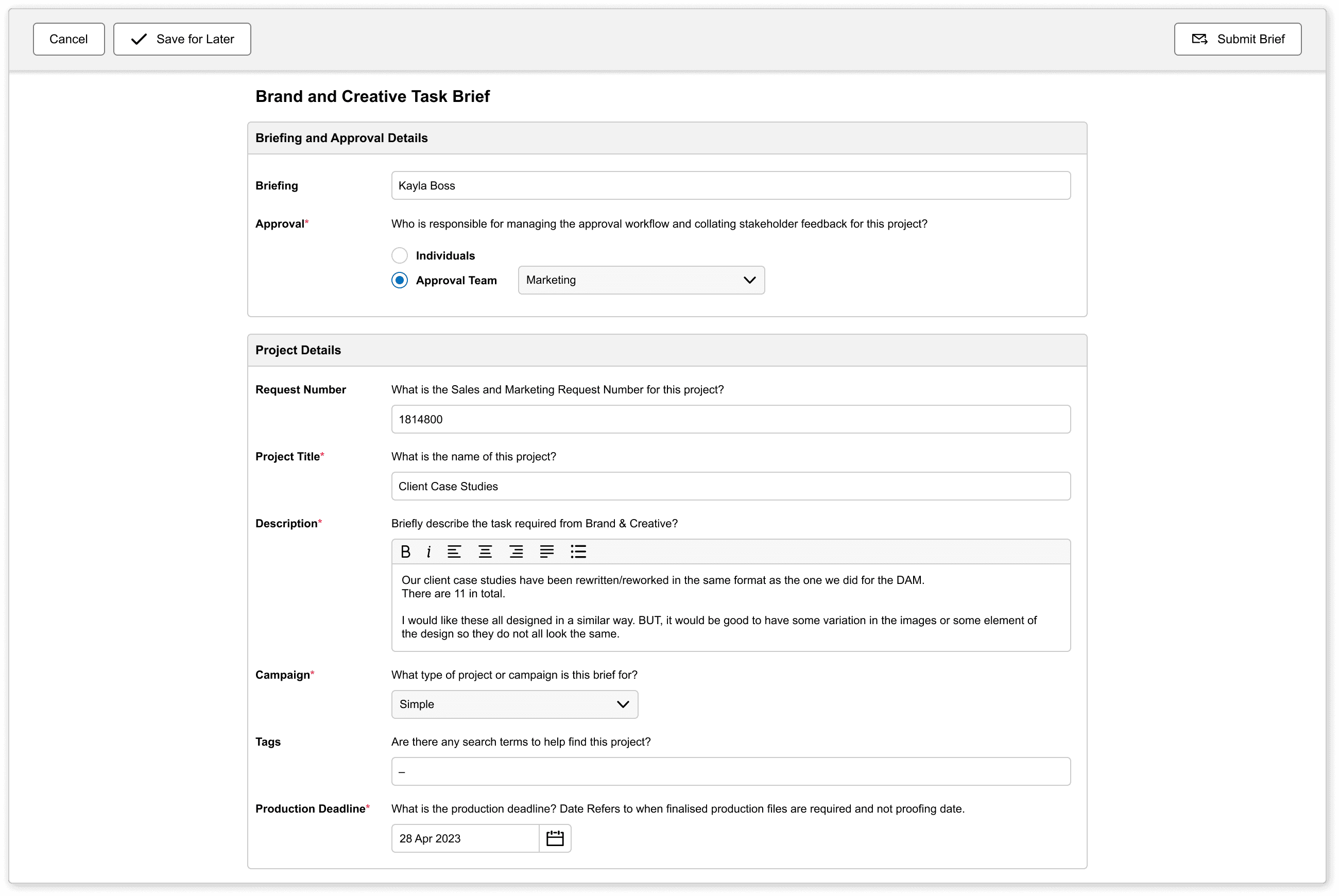
Admation’s Online Briefing & Templates feature provides a digital workflow for creating, managing and approving project briefs. Instead of relying on manual documents, users complete structured forms inside Admation — ensuring that every required detail is captured and validated before work begins.
Teams can build templates, set mandatory fields, collaborate on details, route briefs for approval and automatically create projects from the final approved brief.
Key Features
Reusable Briefing Templates
Create templates for any project type — campaigns, digital, print, BAU, retail, compliance-heavy work or agency submissions — ensuring consistent project intake.

Mandatory Field Controls
Define required fields for objectives, deliverables, specs, budgets, compliance requirements or deadlines so no critical information is overlooked.

Central Brief Management
Store, manage, duplicate and reuse briefs in one location with full visibility across teams and departments.

Brief Version Control
Admation tracks revisions and updates, allowing teams to compare versions and maintain a complete audit history of the briefing process.

Brief Approval Workflows
Route briefs through custom approval pathways using Admation’s tiered logic, including Anybody Approve, Everybody Approve or multi-step reviews.

Collaboration Tools
Users can add comments, ask clarifying questions, attach documents and resolve issues before the brief progresses.

Automated Project Creation
Once approved, a brief can automatically generate a new project with all details transferred — removing manual data entry.

Supporting Document Uploads
Teams can attach strategy decks, brand guidelines, reference files, legal mandatories and previous assets directly to the brief.

Key Benefits
Faster, More Accurate Project Intake
Structured online forms ensure complete, consistent information is captured from the outset, reducing delays and back-and-forth communication.
Reduced Rework and Confusion
Clear, accurate briefs help creative teams produce correct assets on the first attempt.
Standardised Briefing Across the Organisation
Templates ensure every team follows the same structure, improving alignment between marketing, creative, product, compliance and agencies.
Stronger Marketing Compliance
Mandatory fields, version control and approval records ensure legal and brand requirements are captured and reviewed.
Improved Collaboration and Transparency
Stakeholders share a single workspace for questions, updates and approvals, avoiding email chains.
Less Administrative Work
Automated project creation removes file duplication, manual data entry and inconsistent briefing formats.
Audit-Friendly Briefing Process
Every version, approval step and change is recorded for governance and regulatory validation.
How It Works
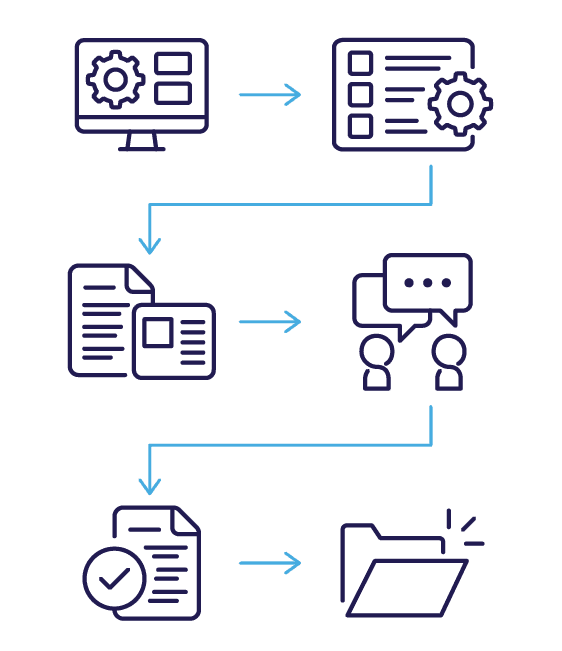
- Build the Template
Administrators create structured templates using fields tailored to campaign types, departments or regions. - Add Mandatory Fields
Define required information so briefs cannot be submitted without critical details. - Complete and Submit the Brief
Users fill in the briefing form, attach documents and include necessary supporting information - Collaborate on Clarifications
Stakeholders comment, ask questions and refine details directly within the brief. - Approve the Brief
The brief routes through a structured approval workflow to validate accuracy, compliance and scope. - Create the Project Automatically
Once approved, Admation generates a new project with all confirmed details pre-populated.
Use Cases
Campaign Planning
Capture objectives, messaging, deliverables and timelines for integrated marketing campaigns.

Creative Requests
Provide clear briefs that reduce ambiguity for creatives and agencies.

Internal BAU Requests
Standardise intake for everyday design and marketing tasks.

Agency Submissions
Give agencies consistent briefing templates to reduce rework and improve alignment.

Challenges Online Briefing & Templates Solve
Incomplete Briefs
Projects begin without required details such as objectives, mandatories, specs or audiences — causing misalignment, delays and significant rework once creative or compliance review starts.
Detail Chasing
Teams waste hours collecting missing information through emails, calls or chats because briefing details are scattered and stakeholders submit inconsistent or partial information.
Ambiguous Requirements
Unstructured briefing formats lead to unclear deliverables, misunderstood expectations and conflicting interpretations between marketing, creative, product and compliance teams.
Avoidable Rework
Missing specs, inaccurate messaging, unclear mandatories or incorrect formats force creative teams to redo work — increasing timelines, costs and revision counts.
Email Intake
Briefs submitted via email or Word docs become hard to track, easy to lose and difficult to validate, creating gaps in accountability and project visibility.
Scaling Difficulty
Manual briefing processes cannot scale across departments, regions or agencies, resulting in inconsistent quality, duplicated work and variable project outcomes.
Format Inconsistency
Different stakeholders produce briefs in different structures, making them hard to compare, consolidate or interpret across marketing, creative or compliance teams.
Duplicated Effort
Teams recreate similar briefs repeatedly for recurring campaign types because they lack reusable, standardised templates tailored for each project category.
Compliance Blind Spots
Legal, regulatory and brand requirements are often missed when briefs rely on ad-hoc documents without structured fields, mandatory inputs or documented approvals.